A i

사실적인 편집을 위한 AI 사진 프롬프트

인물, 패션 편집, 커플 셀카, 레트로 필름, 휴대폰 배경 프롬프트를 확인하세요. 장면, 모델, 비율과 전체 프롬프트를 함께 제공합니다.

사진 프롬프트 가이드 읽기

복사 / 수정 / 생성

Prompt Ayesha 프롬프트 템플릿

먼저 인물 정체성 지시를 분명히 적고 의상, 조명, 카메라, 비율과 장면 제약을 추가하세요.

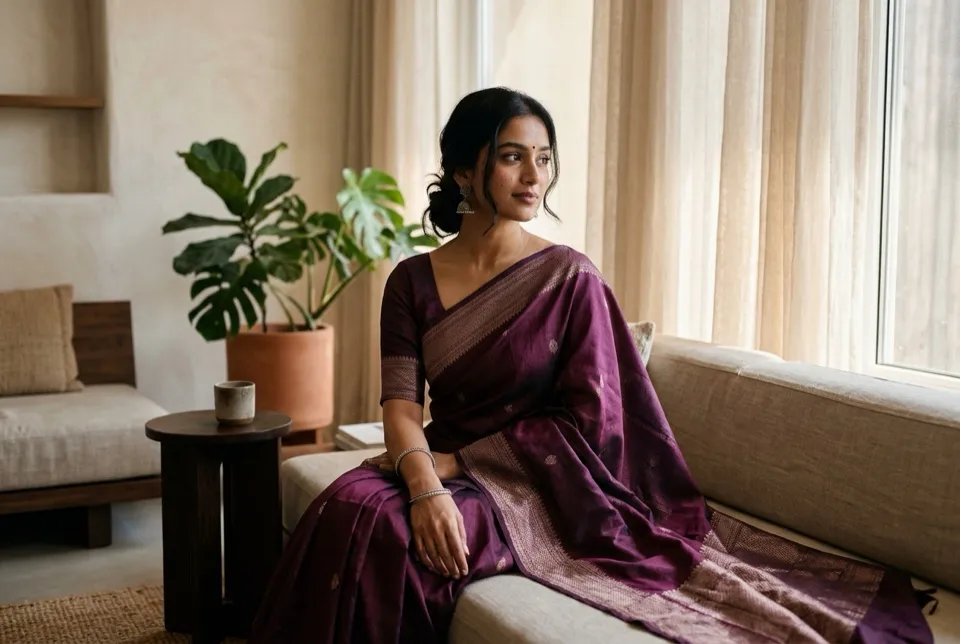
와인 퍼플 사리 AI 사진 프롬프트 사례
사리와 브라이덜4:5
와인 퍼플 사리 초상 Gemini

AiCanvasly 디자인 시안의 장면 참고 이미지입니다.

GeminiGPT ImageFlux

패브릭 디테일과 자연스러운 피부 질감을 살린 에디토리얼 초상입니다.

구조화된 프롬프트 보기

Edit the uploaded portrait into a refined editorial saree photograph. Preserve the exact identity, face shape, eyes, skin tone, and natural expression. Dress the subject in a wine-purple silk saree with realistic pleats, a softly textured blouse, and restrained gold jewelry. Use a warm indoor window light, an 85mm portrait lens, shallow depth of field, realistic skin texture, natural pores, clean hands, and a quiet cream background. Keep the result photographic and elegant. No plastic skin, no face swap, no extra fingers, no distorted fabric, no text, no watermark.

[outfit color][light direction][background tone]
제작 스튜디오 열기
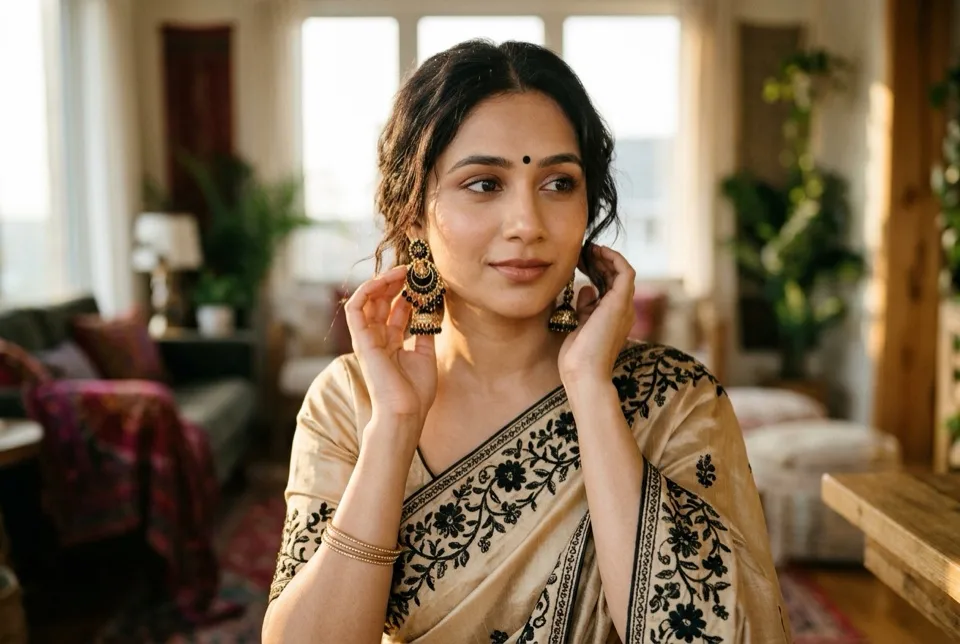
샴페인색 사리를 입고 주얼리 옆으로 손을 든 신부
사리와 브라이덜9:16
브라이덜 네일 아트 차량 셀카 Gemini

웨딩 스타일 참고 이미지입니다. 템플릿은 차창 옆 셀카를 설명합니다.

GeminiGPT Image

브라이덜 디테일, 손, 주얼리와 차창의 부드러운 빛을 담은 클로즈업입니다.

구조화된 프롬프트 보기

Use the uploaded portrait as the identity reference and create a realistic vertical car selfie. Keep the same face, hairline, skin tone, and expression. Show a rich bridal outfit, delicate henna, glossy nail art, small gold jewelry details, and soft late-afternoon light through the car window. Keep both hands anatomically correct and the phone visible only once. Use natural skin texture, realistic fabric folds, a 35mm smartphone look, and a subtle candid composition. No extra phone, no duplicate person, no melted fingers, no artificial beauty filter, no text, no watermark.

[nail color][jewelry detail][window light]
제작 스튜디오 열기
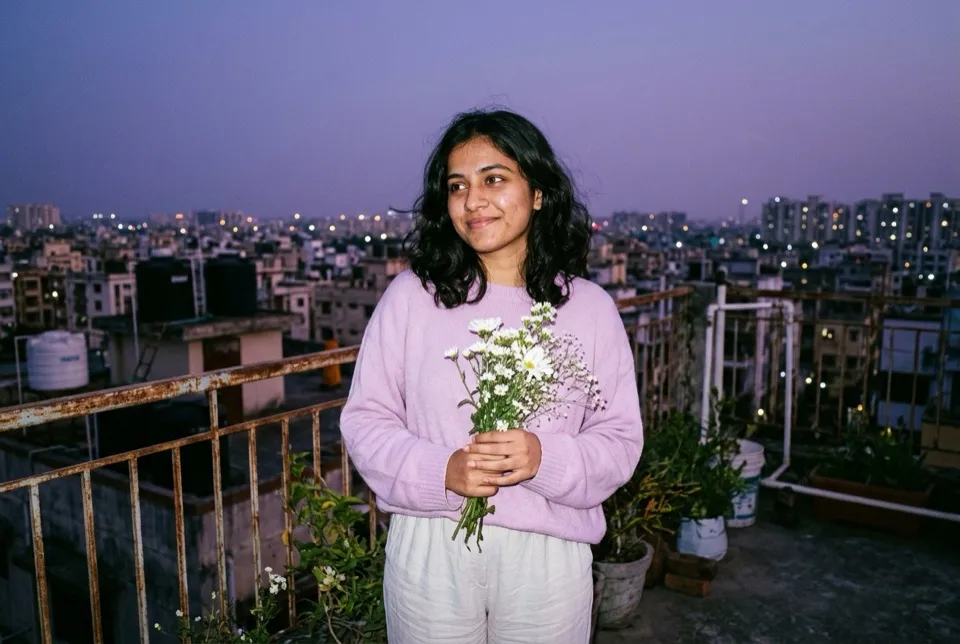
루프톱 블루아워 AI 사진 프롬프트 사례
루프톱과 캔디드4:5
루프톱 블루아워 초상 Midjourney

AiCanvasly 디자인 시안의 장면 참고 이미지입니다.

MidjourneyFluxGPT Image

도시의 블루아워, 직접 플래시, 자연스러운 움직임과 안정적인 정체성을 담습니다.

구조화된 프롬프트 보기

Transform the uploaded portrait into a candid rooftop photograph at blue hour. Preserve the person’s exact identity and facial proportions. Use a low city skyline, cool cobalt ambient light, a gentle direct flash, wind in the clothing, and an authentic handheld composition. Add a 50mm lens feel, subtle film grain, realistic shadows, natural skin texture, and imperfect but believable posture. The image should feel like a real editorial snapshot. No face drift, no extra limbs, no plastic skin, no fake bokeh circles, no logos, no text, no watermark.

[city setting][flash strength][film grain]
제작 스튜디오 열기
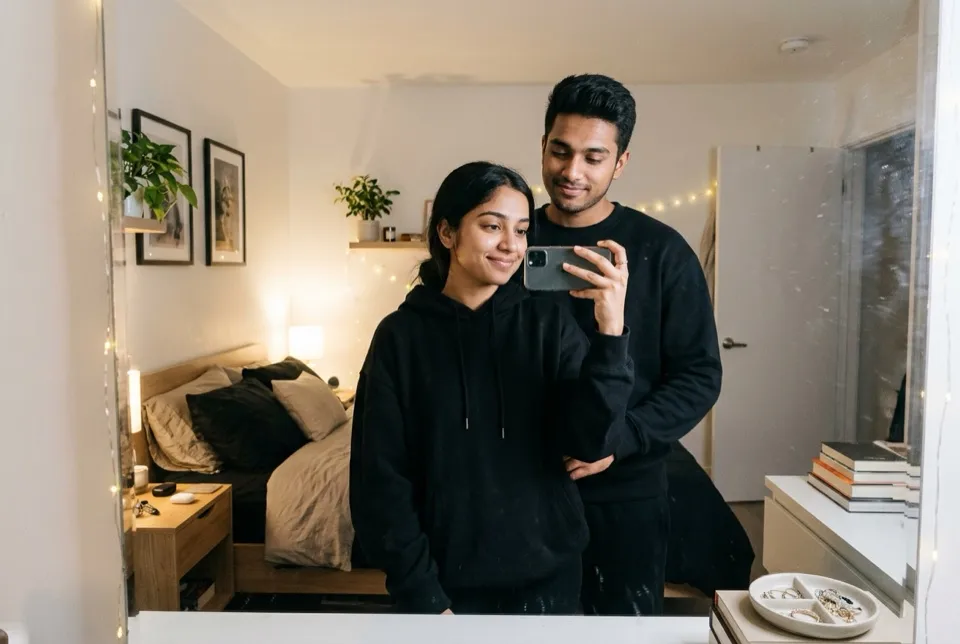
커플 거울 셀카 AI 사진 프롬프트 사례
커플 거울 셀카9:16
커플 거울 셀카 Gemini

AiCanvasly 디자인 시안의 장면 참고 이미지입니다.

GeminiGPT ImageFlux

한 대의 휴대폰과 자연스러운 자세를 유지하는 두 사람의 거울 구도입니다.

구조화된 프롬프트 보기

Create a realistic vertical couple mirror selfie from the two uploaded reference portraits. Preserve both identities, face shapes, skin tones, and recognizable features. Place the couple naturally in a softly lit room with one smartphone held in front of the mirror. Keep the phone visible exactly once, keep both bodies anatomically correct, and use relaxed coordinated outfits, realistic reflections, natural skin texture, and a contemporary social-photo composition. No second phone, no duplicate reflection, no merged faces, no extra fingers, no warped mirror, no text, no watermark.

[outfit pairing][room light][phone position]
제작 스튜디오 열기
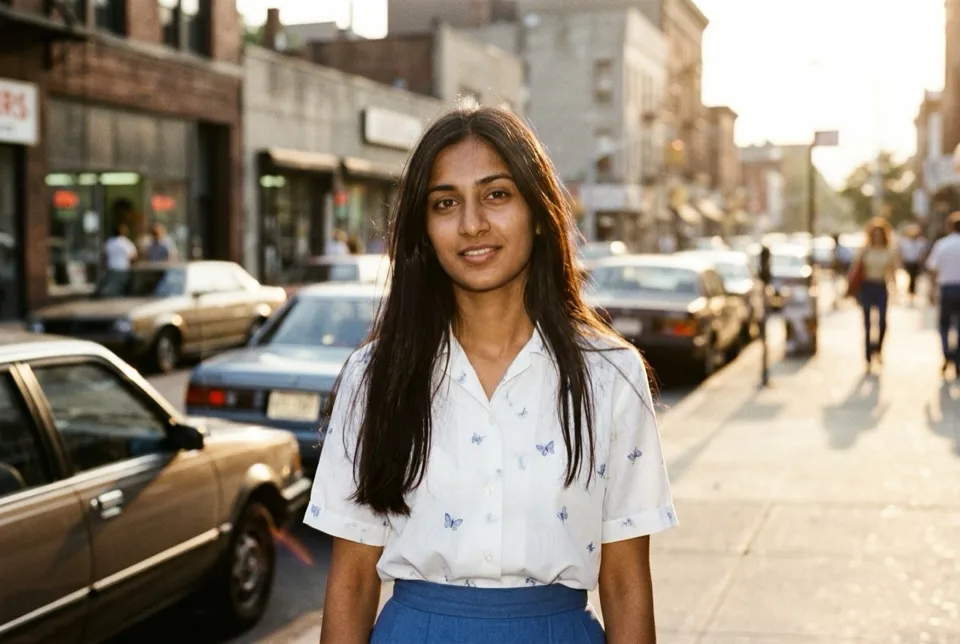
1980년대 버터플라이 셔츠 AI 사진 프롬프트 사례
1980년대 레트로와 버터플라이4:5
1980년대 버터플라이 셔츠 필름 룩 Midjourney

AiCanvasly 디자인 시안의 장면 참고 이미지입니다.

MidjourneyFluxGPT Image

아날로그 플래시, 버터플라이 패턴과 필름 그레인으로 자연스러운 복고 장면을 만듭니다.

구조화된 프롬프트 보기

Restyle the uploaded portrait as a believable 1980s analog film photograph. Preserve the exact identity, face, and expression. Dress the subject in a playful butterfly-print shirt with period-appropriate colors, use direct on-camera flash, warm tungsten highlights, a simple bedroom or studio background, slight lens softness, visible but controlled 35mm film grain, and natural skin texture. Keep the styling editorial rather than costume-like. No modern logos, no plastic skin, no face change, no extra fingers, no text, no watermark.

[shirt print][flash style][grain level]
제작 스튜디오 열기
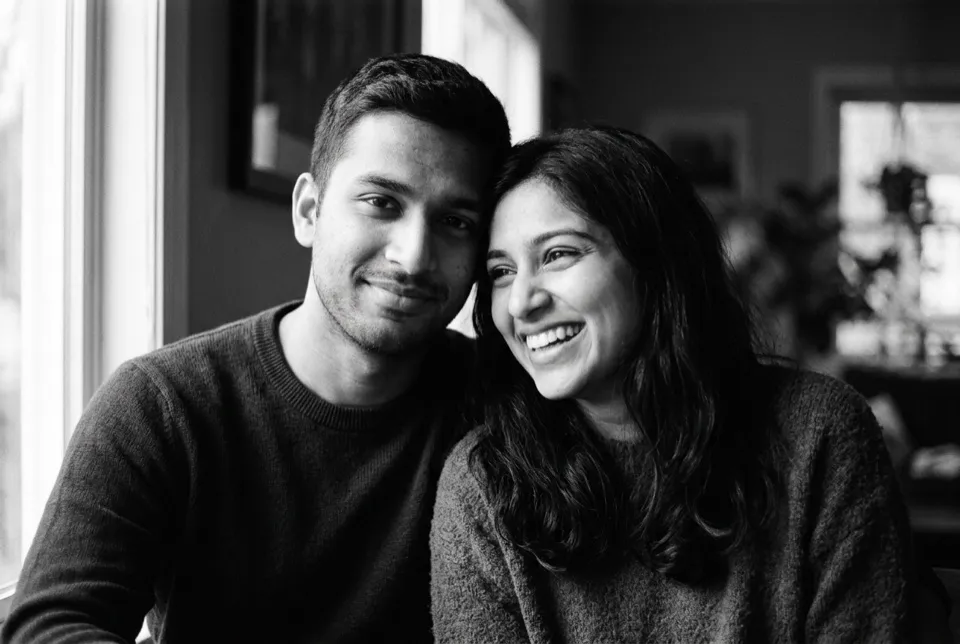
잠금 화면 구성을 위한 흑백 커플 사진
11:11 잠금 화면과 콜라주9:16
11:11 다섯 프레임 콜라주 Gemini

다섯 컷 배경화면 템플릿의 커플 사진 참고 이미지입니다.

GeminiGPT Image

다섯 개의 연결된 장면에서 커플의 정체성을 일관되게 유지하는 배경화면입니다.

구조화된 프롬프트 보기

Create a clean 9:16 phone lockscreen collage with five connected candid frames of the same couple. Use the uploaded reference portraits to preserve both identities, facial features, skin tones, and relationship cues in every frame. Include an understated 11:11 time detail, varied close and medium compositions, consistent clothing, soft natural light, and a calm editorial color palette. Keep each frame readable, keep faces natural, and leave safe space around the lockscreen clock. No duplicated faces, no mismatched people, no unreadable text, no extra phones, no watermark.

[frame count][clock safe area][wallpaper crop]
제작 스튜디오 열기

AI 사진 프롬프트를 고르고 쓰는 방법

원하는 사진에 맞춰 템플릿 고르기

의상을 바꾸려면 색상과 소재, 천이 떨어지는 방향을 설명하는 템플릿을 고르세요. 루프톱 인물 사진은 촬영 시간과 카메라 거리를 정하세요. 휴대폰 배경화면은 세로 비율과 시계 여백이 먼저입니다. Prompt Ayesha에서 사리 초상, 루프톱, 커플 거울 셀카, 필름 사진, 잠금 화면 콜라주를 찾을 수 있습니다.

가까운 장면을 고른 다음 필요한 요소만 바꾸세요. 와인 퍼플 사리를 짙은 초록색 실크로 바꿀 때는 포즈와 조명, 구도를 유지할 수 있습니다.

Prompt Ayesha 살펴보기

사진 편집 지시문을 네 부분으로 쓰기

참고 사진의 주인공, 수정할 요소, 배경과 조명, 출력 비율과 제약 순서로 작성하세요. 루프톱 사진이라면 해가 진 뒤의 푸른 하늘과 얼굴을 비추는 플래시, 허리 위 구도를 지정할 수 있습니다. 커플 셀카라면 오른쪽 사람이 휴대폰 한 대를 든다고 적으세요.

결과에서 확인할 수 있는 표현을 쓰세요. 왼쪽 창에서 들어오는 빛, 허리에서 떨어지는 사리 주름, 가슴 높이의 휴대폰을 각각 한 문장으로 설명하면 초안에서 하나씩 수정하기 쉽습니다.

의상이나 배경을 바꿀 때 같은 얼굴 유지하기

편집에 동의한 사람이 나온 선명한 사진을 쓰세요. 얼굴형, 눈 사이 거리, 피부 톤, 헤어라인, 표정을 유지하라고 먼저 지시하세요. 배경을 바꿀 때는 조명의 방향과 인물이 서 있는 표면도 설명하세요.

원본과 결과를 비슷한 크기로 잘라 눈, 코, 입을 비교하세요. 얼굴이 달라지면 머리 각도를 유지한 상태에서 의상이나 배경 중 하나만 다시 바꿔 보세요. 주근깨와 피부 질감도 확인하세요.

조명과 화면 비율 정하기

블루아워 루프톱에서는 도시의 저녁 빛과 얼굴을 비추는 빛을 따로 적으세요. 겨자꽃밭에서는 햇빛이 들어오는 방향과 인물이 서 있는 길을 정하세요. 1980년대 분위기에는 직접 플래시, 가는 필름 입자, 셔츠의 나비 무늬를 사용할 수 있습니다.

4:5는 인물 게시물, 9:16은 스토리와 배경화면, 16:9는 배경이 중요한 장면에 맞습니다. 콜라주는 컷 순서부터 정하세요. 잠금 화면에 적용한 다음 시계가 얼굴을 가리지 않는지 확인하세요.

Gemini, ChatGPT, Midjourney, Flux에 맞춰 수정하기

Gemini나 GPT Image를 사용하는 ChatGPT에서는 어떤 사진을 편집할지 먼저 적고 유지할 부분과 변경할 부분을 설명하세요. Midjourney와 Flux에서는 작업 도구가 지원하는 참고 이미지와 화면 비율 설정을 확인하세요.

먼저 한 장을 만든 다음 변경할 요소를 정하세요. 피부가 지나치게 매끈하면 질감과 조명 지시를 고치세요. 휴대폰이 두 대로 보이면 누가 들고 있는지와 나머지 손의 자세를 정확히 적으세요.

참고 장면에서 이미지 프롬프트 만들기

이미지 분석으로 구도, 색, 조명, 카메라 거리에 대한 초안을 만들 수 있습니다. 설명을 원본과 대조한 뒤 필요한 인물, 의상, 비율 조건을 추가하세요. 공유하기 전에 손, 반사, 화면 가장자리, 글자를 확대해 확인하세요.

이미지에서 프롬프트 만들기

사용 방법

반복해서 사용할 수 있는 세 단계 사진 작업 흐름

01

Upload a clear reference

Use a well-lit face. Couples should provide two separate reference images when the model supports it.

02

Paste and tune the scene

Change outfit color, setting, light, and aspect ratio. Keep identity constraints near the start.

03

Generate and inspect

Check face consistency, hands, reflections, fabric folds, and text before you export or share.

FAQ

AI 사진 프롬프트 자주 묻는 질문

인물 사진, 커플 사진, 휴대폰 배경에는 어떤 AI 편집 프롬프트가 어울리나요?+

한 명은 인물 사진 템플릿, 두 명은 커플 셀카 템플릿, 휴대폰 배경은 세로 콜라주 템플릿을 사용하세요. 대괄호 안의 내용을 바꾸고 화면 비율을 확인한 뒤 프롬프트를 복사하세요.

시각 작업 계속하기

프롬프트 가이드를 읽거나 참고 이미지를 편집 가능한 프롬프트 텍스트로 분석하세요.