A i

写实风格的 AI 照片提示词

浏览人像、服装、情侣自拍、复古胶片和手机壁纸提示词。每个合集都包含场景、模型、比例和可复制的完整文本。

阅读照片提示词指南

复制 / 修改 / 创作

Prompt Ayesha 提示词模板墙

先写清人物身份保持要求,再补充服装、光线、镜头、比例和场景限制。

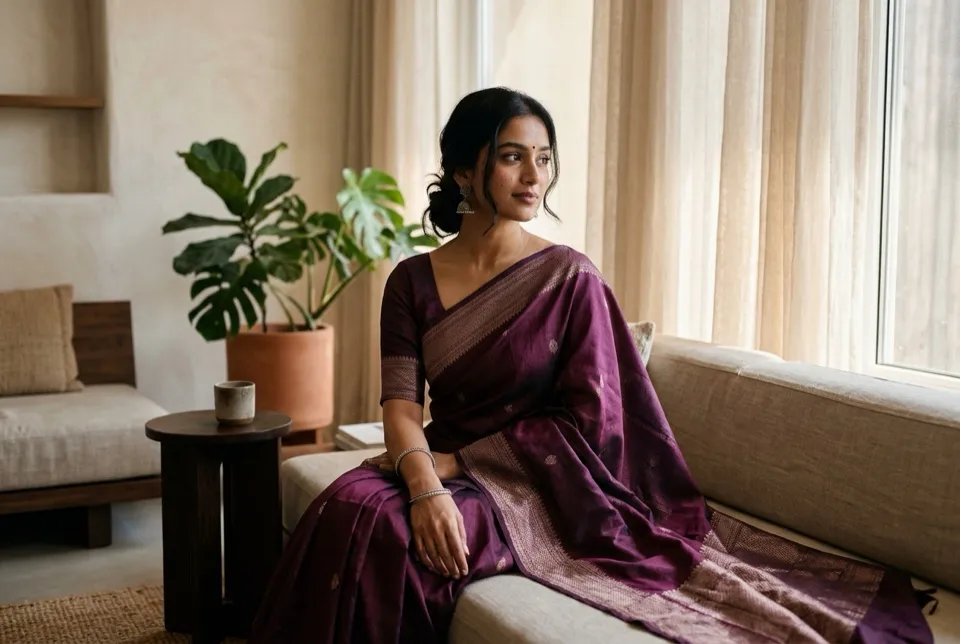
酒红紫纱丽人像 AI 照片提示词案例
纱丽与婚礼4:5
酒红紫纱丽人像 Gemini

AiCanvasly 设计原型中的场景参考。

GeminiGPT ImageFlux

带有织物细节和自然皮肤纹理的编辑感人像。

查看结构化提示词

Edit the uploaded portrait into a refined editorial saree photograph. Preserve the exact identity, face shape, eyes, skin tone, and natural expression. Dress the subject in a wine-purple silk saree with realistic pleats, a softly textured blouse, and restrained gold jewelry. Use a warm indoor window light, an 85mm portrait lens, shallow depth of field, realistic skin texture, natural pores, clean hands, and a quiet cream background. Keep the result photographic and elegant. No plastic skin, no face swap, no extra fingers, no distorted fabric, no text, no watermark.

[outfit color][light direction][background tone]
打开创作台
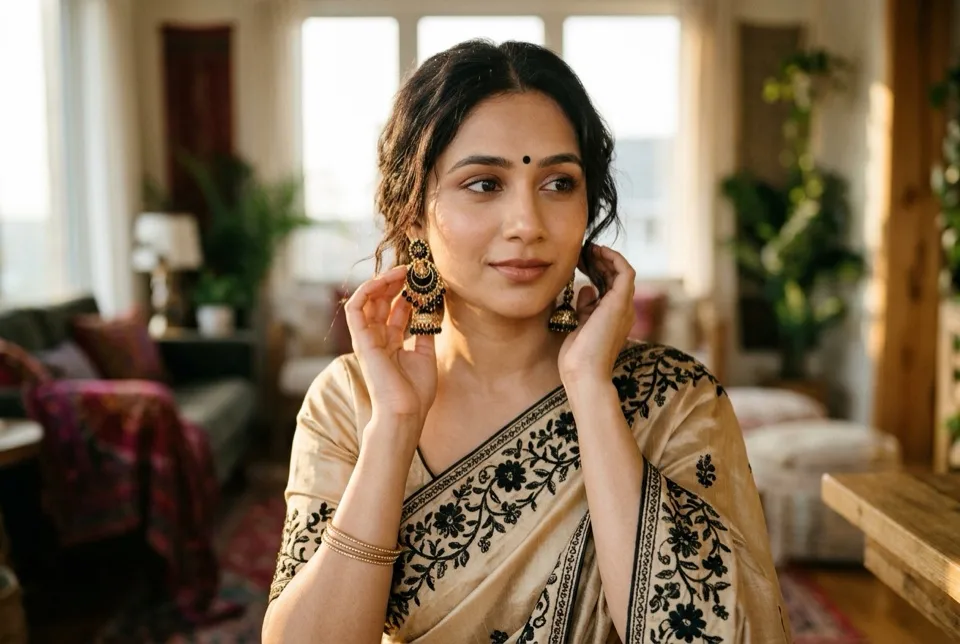
穿香槟金纱丽的新娘举手展示首饰
纱丽与婚礼9:16
婚礼美甲车内自拍 Gemini

婚礼造型参考图。模板描述的是车窗边自拍。

GeminiGPT Image

适合展示婚礼细节、手部、首饰和车窗柔光的近距离抓拍。

查看结构化提示词

Use the uploaded portrait as the identity reference and create a realistic vertical car selfie. Keep the same face, hairline, skin tone, and expression. Show a rich bridal outfit, delicate henna, glossy nail art, small gold jewelry details, and soft late-afternoon light through the car window. Keep both hands anatomically correct and the phone visible only once. Use natural skin texture, realistic fabric folds, a 35mm smartphone look, and a subtle candid composition. No extra phone, no duplicate person, no melted fingers, no artificial beauty filter, no text, no watermark.

[nail color][jewelry detail][window light]
打开创作台
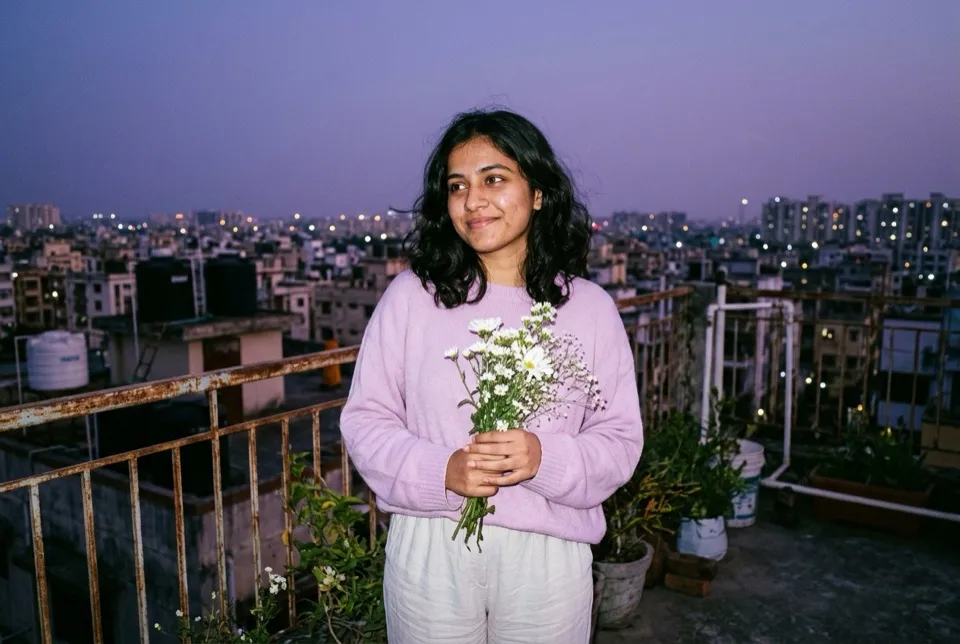
天台蓝调抓拍 AI 照片提示词案例
天台与抓拍4:5
天台蓝调人像 Midjourney

AiCanvasly 设计原型中的场景参考。

MidjourneyFluxGPT Image

城市蓝调、直接闪光、自然动作和稳定人物身份。

查看结构化提示词

Transform the uploaded portrait into a candid rooftop photograph at blue hour. Preserve the person’s exact identity and facial proportions. Use a low city skyline, cool cobalt ambient light, a gentle direct flash, wind in the clothing, and an authentic handheld composition. Add a 50mm lens feel, subtle film grain, realistic shadows, natural skin texture, and imperfect but believable posture. The image should feel like a real editorial snapshot. No face drift, no extra limbs, no plastic skin, no fake bokeh circles, no logos, no text, no watermark.

[city setting][flash strength][film grain]
打开创作台
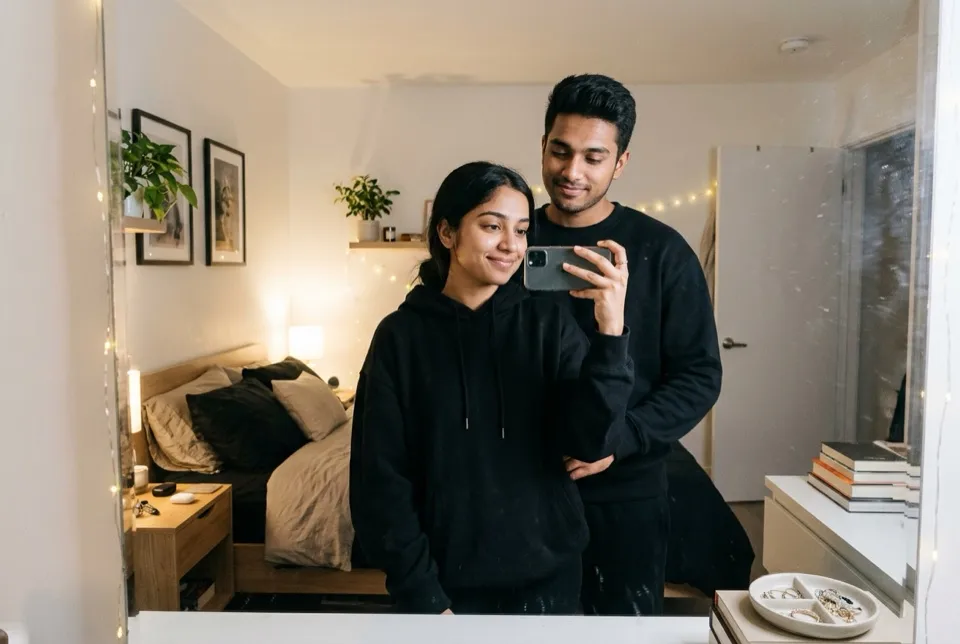
情侣镜面自拍 AI 照片提示词案例
情侣镜面自拍9:16
情侣镜面自拍 Gemini

AiCanvasly 设计原型中的场景参考。

GeminiGPT ImageFlux

两人一部手机的镜面构图,保持人物身份和自然姿态。

查看结构化提示词

Create a realistic vertical couple mirror selfie from the two uploaded reference portraits. Preserve both identities, face shapes, skin tones, and recognizable features. Place the couple naturally in a softly lit room with one smartphone held in front of the mirror. Keep the phone visible exactly once, keep both bodies anatomically correct, and use relaxed coordinated outfits, realistic reflections, natural skin texture, and a contemporary social-photo composition. No second phone, no duplicate reflection, no merged faces, no extra fingers, no warped mirror, no text, no watermark.

[outfit pairing][room light][phone position]
打开创作台
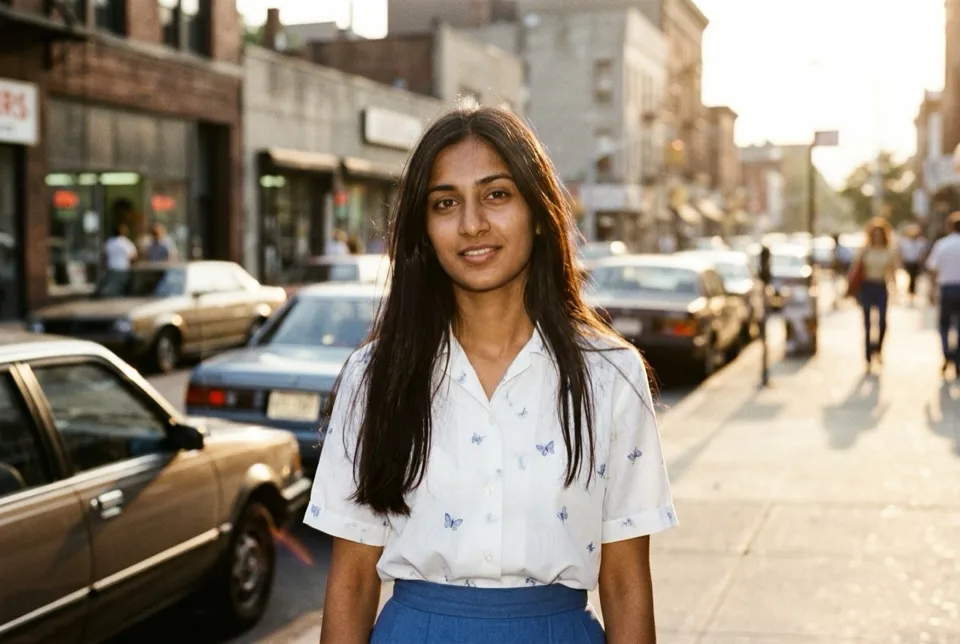
1980 年代蝴蝶衫胶片 AI 照片提示词案例
1980 年代复古与蝴蝶衫4:5
1980 年代蝴蝶衫胶片风 Midjourney

AiCanvasly 设计原型中的场景参考。

MidjourneyFluxGPT Image

模拟闪光、蝴蝶印花和胶片颗粒,保持怀旧但真实的画面。

查看结构化提示词

Restyle the uploaded portrait as a believable 1980s analog film photograph. Preserve the exact identity, face, and expression. Dress the subject in a playful butterfly-print shirt with period-appropriate colors, use direct on-camera flash, warm tungsten highlights, a simple bedroom or studio background, slight lens softness, visible but controlled 35mm film grain, and natural skin texture. Keep the styling editorial rather than costume-like. No modern logos, no plastic skin, no face change, no extra fingers, no text, no watermark.

[shirt print][flash style][grain level]
打开创作台
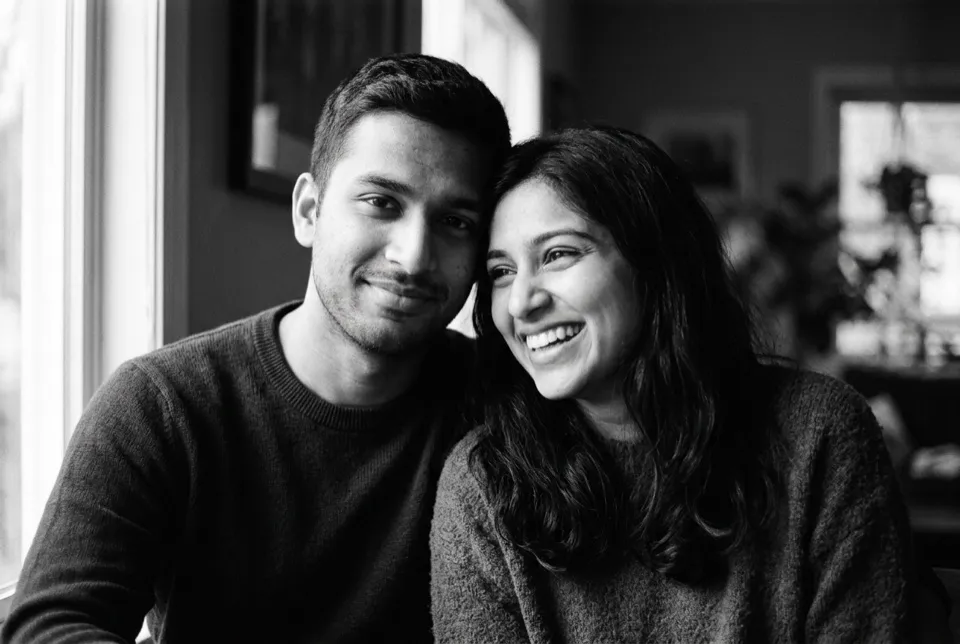
用于锁屏构图参考的黑白情侣人像
11:11 锁屏与拼贴9:16
11:11 五格拼贴 Gemini

五格壁纸模板的情侣人像参考。

GeminiGPT Image

让情侣在五个连续画面中保持一致的手机壁纸布局。

查看结构化提示词

Create a clean 9:16 phone lockscreen collage with five connected candid frames of the same couple. Use the uploaded reference portraits to preserve both identities, facial features, skin tones, and relationship cues in every frame. Include an understated 11:11 time detail, varied close and medium compositions, consistent clothing, soft natural light, and a calm editorial color palette. Keep each frame readable, keep faces natural, and leave safe space around the lockscreen clock. No duplicated faces, no mismatched people, no unreadable text, no extra phones, no watermark.

[frame count][clock safe area][wallpaper crop]
打开创作台

怎样选择和编写 AI 照片提示词

按用途选择照片模板

想改衣服时,选能说明衣服颜色、材质和垂坠方式的模板。想做天台人像时,先选择时间和镜头距离。做手机壁纸时,先确定竖版比例,并留出系统时钟的位置。Prompt Ayesha 合集覆盖纱丽人像、天台蓝调、情侣镜面自拍、复古胶片和锁屏拼贴。

找到接近目标的场景后,只改需要调整的部分。例如把酒红紫纱丽改成墨绿色丝绸,可以保留原来的姿势、光线和构图。

查看 Prompt Ayesha

用四部分写出照片编辑要求

先写使用哪张参考图,再说要修改什么,然后描述场景、光线和相机,最后写比例和限制。天台人像可以指定日落后的蓝色天空、照亮脸部的闪光和半身构图。情侣镜面自拍可以指定右侧人物持手机,画面只出现一部手机。

优先使用能从成片中检查的描述。写清光从左边窗户照入、纱丽前褶从腰部垂下,或手机保持在胸口高度。分开描述这些细节,生成后就能逐项修改。

换衣或换背景时怎样保持同一张脸

上传一张光线均匀、经授权的清晰照片。先写明要保留的脸型、眼距、肤色、发际线和表情,再描述衣服和背景。换背景时,写清光源方向和人物脚下的表面,便于检查新背景里的阴影。

用相近的裁切比较参考图和成片,先看眼睛、鼻子和嘴角,再看色调。脸部变化明显时,下次先保留头部角度,只调整一项。检查雀斑、皮肤纹理和表情是否自然。

按光线和画幅准备成片

在天台蓝调提示词中,分开写环境光和照亮人物的光。在油菜花田人像中,指定太阳的位置和人物所站的小路。尝试 1980 年代复古风时,可以加入直打闪光、细胶片颗粒和可见的蝴蝶印花。

4:5 适合竖版人像,9:16 适合故事和手机壁纸,16:9 适合强调背景的横向构图。制作照片拼贴时先排好每一格的顺序,再写每格的姿势和镜头距离。锁屏导出后,在手机上检查时钟是否盖住人脸。

在 Gemini、ChatGPT、Midjourney 或 Flux 中改写模板

在 Gemini 或使用 GPT Image 的 ChatGPT 工作流里,可以先说明要编辑上传的哪张照片,再分别写清要保留和改变的部分。使用 Midjourney 或 Flux 时,打开当前工具的设置,确认其参考图和画幅选项。

保留一份原始提示词,先生成一张草稿。如果皮肤太平滑,先收紧纹理和光线要求。如果镜中多出一部手机,明确谁拿手机,并给另一人的双手安排清楚的位置。

已有场景参考时,先用图片转提示词

图片转提示词可以起草画面中的构图、颜色、光线和镜头距离。对照原图改正不确定的信息,再加入人物、服装和比例要求。最后检查上传的身份参考图和灵感图分别有哪些用途。导出前放大查看手部、镜像、边缘裁切和文字。

图片转提示词

使用方法

可重复使用的三步照片工作流

01

Upload a clear reference

Use a well-lit face. Couples should provide two separate reference images when the model supports it.

02

Paste and tune the scene

Change outfit color, setting, light, and aspect ratio. Keep identity constraints near the start.

03

Generate and inspect

Check face consistency, hands, reflections, fabric folds, and text before you export or share.

常见问题

AI 照片提示词常见问题

人像、情侣照和手机壁纸应该选哪个 AI 修图提示词?+

单人照用人像模板,双人照用情侣自拍模板,手机壁纸用竖版拼贴模板。把括号里的细节换成自己的设定。复制提示词前,先检查画面比例。

继续完成视觉创作流程

阅读提示词指南,或把参考图反向分析成可编辑的提示词文本。