A i

Prompt Ayesha AI Photo Editing Prompts

Prompt Ayesha is a collection of copy-paste AI photo prompts for edits that aim to keep the same face. Choose a saree portrait, blue-hour rooftop shot, 1980s film look, or couple mirror selfie. Review the prompt before using it with a reference photo.

Read the photo prompt guide

An independent AI photo prompt collection by AiCanvasly.

Prompt studio

Edit a Prompt Ayesha brief before you create.

Choose a visual style, add a reference photo, adjust the output format, and send the prepared brief to AiCanvasly Creator Studio. The prompt stays visible so you can review every instruction.

Identity constraints first Natural skin texture Ratio-aware output

Your local preview is used only to prepare this page. Generation continues in Creator Studio.

Open Creator Studio Prepared prompt opens in the existing workspace.

Copy / adapt / generate

Prompt Ayesha template wall

Start with one clear identity instruction. Then add the outfit, light, camera, ratio, and constraints that the scene needs.

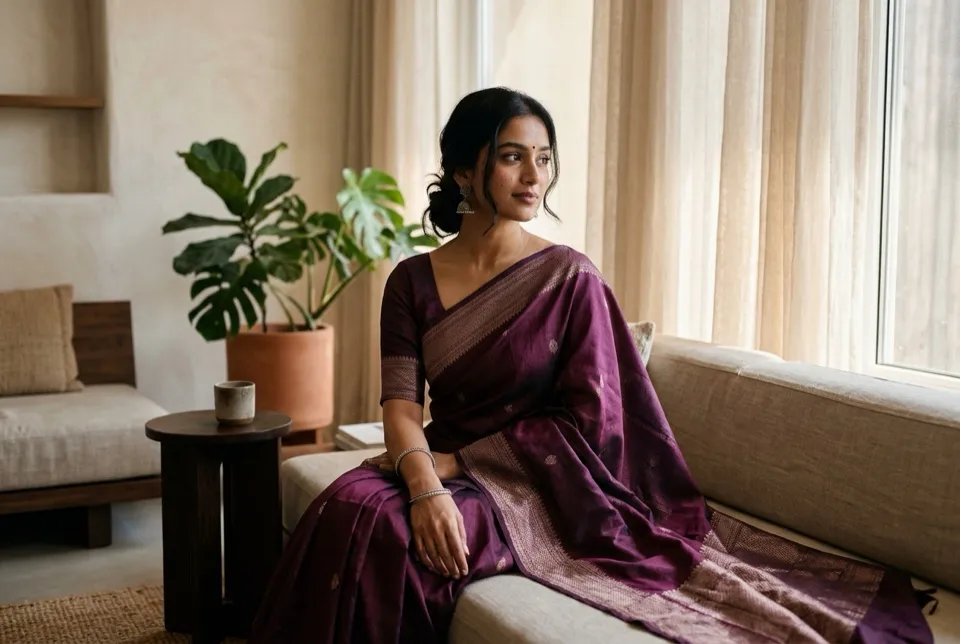
Wine-purple saree AI photo prompt example with editorial portrait lighting
Saree & Bridal4:5
Wine-purple saree portrait Gemini

Scene reference from the AiCanvasly design prototype.

GeminiGPT ImageFlux

A polished editorial portrait with fabric detail and natural skin texture.

Saree portrait troubleshooting guide
Read structured prompt

Edit the uploaded portrait into a refined editorial saree photograph. Preserve the exact identity, face shape, eyes, skin tone, and natural expression. Dress the subject in a wine-purple silk saree with realistic pleats, a softly textured blouse, and restrained gold jewelry. Use a warm indoor window light, an 85mm portrait lens, shallow depth of field, realistic skin texture, natural pores, clean hands, and a quiet cream background. Keep the result photographic and elegant. No plastic skin, no face swap, no extra fingers, no distorted fabric, no text, no watermark.

[outfit color][light direction][background tone]
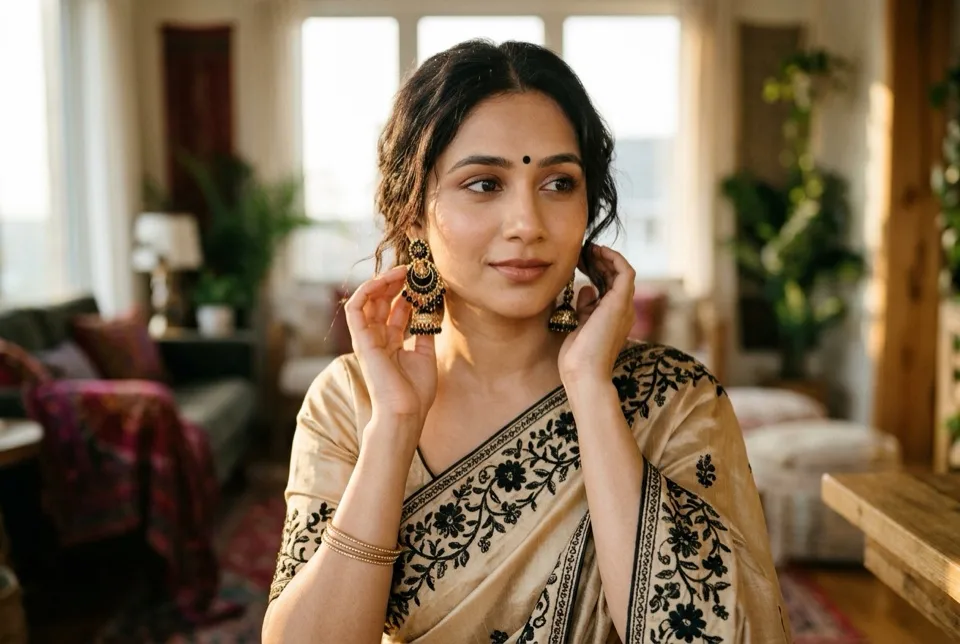
Bride in a champagne saree with her hand raised beside her jewelry
Saree & Bridal9:16
Bridal nail-art car selfie Gemini

Bridal styling reference. The template describes a car-window selfie.

GeminiGPT Image

A close candid frame for bridal details, hands, jewelry, and soft car-window light.

Read structured prompt

Use the uploaded portrait as the identity reference and create a realistic vertical car selfie. Keep the same face, hairline, skin tone, and expression. Show a rich bridal outfit, delicate henna, glossy nail art, small gold jewelry details, and soft late-afternoon light through the car window. Keep both hands anatomically correct and the phone visible only once. Use natural skin texture, realistic fabric folds, a 35mm smartphone look, and a subtle candid composition. No extra phone, no duplicate person, no melted fingers, no artificial beauty filter, no text, no watermark.

[nail color][jewelry detail][window light]
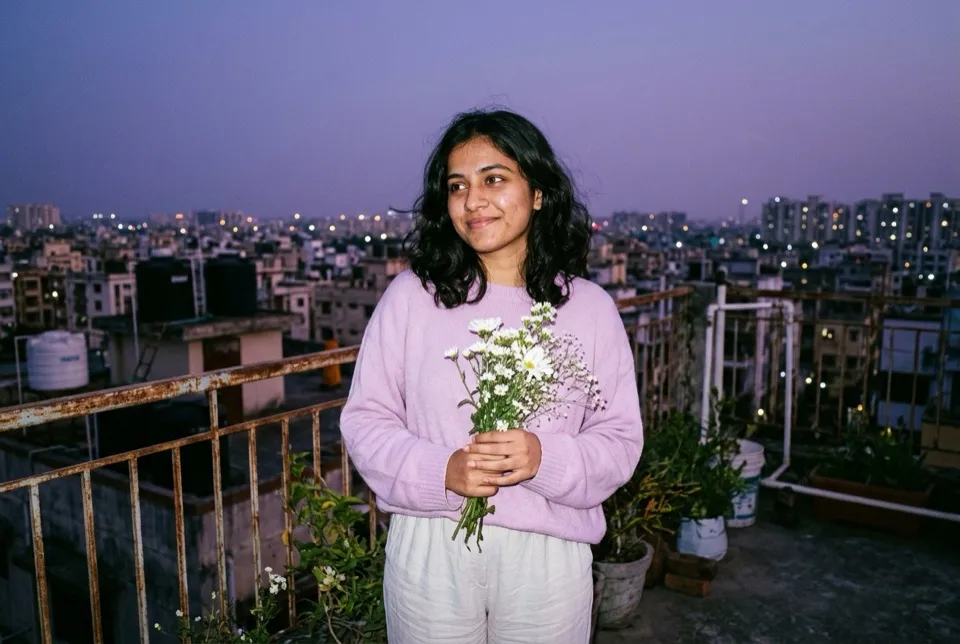
Rooftop blue-hour candid AI photo prompt example
Rooftop & Candid4:5
Rooftop blue-hour portrait Midjourney

Scene reference from the AiCanvasly design prototype.

MidjourneyFluxGPT Image

A blue-hour city frame with direct flash, candid movement, and a stable identity.

Read structured prompt

Transform the uploaded portrait into a candid rooftop photograph at blue hour. Preserve the person’s exact identity and facial proportions. Use a low city skyline, cool cobalt ambient light, a gentle direct flash, wind in the clothing, and an authentic handheld composition. Add a 50mm lens feel, subtle film grain, realistic shadows, natural skin texture, and imperfect but believable posture. The image should feel like a real editorial snapshot. No face drift, no extra limbs, no plastic skin, no fake bokeh circles, no logos, no text, no watermark.

[city setting][flash strength][film grain]
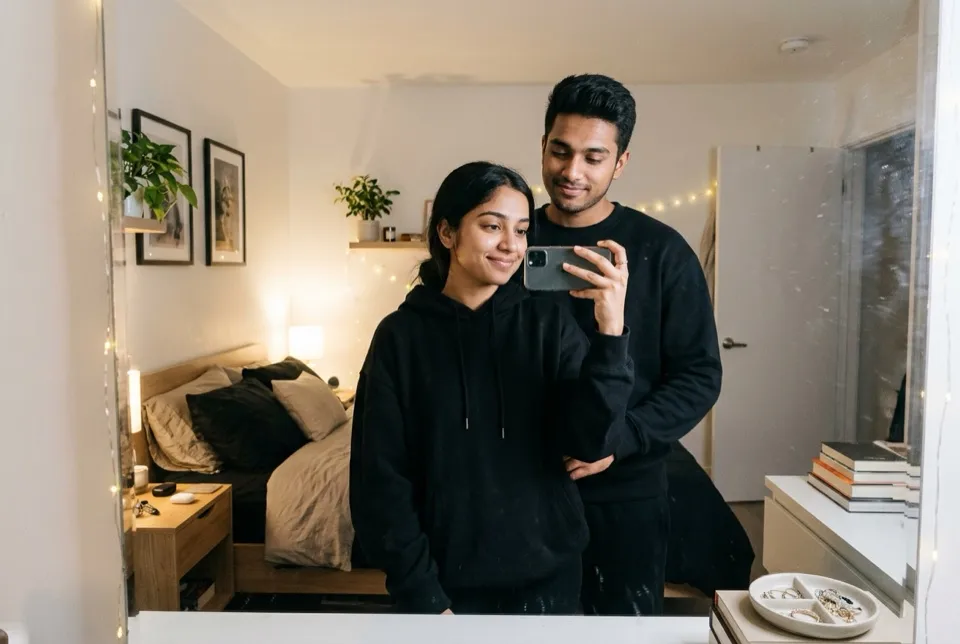
Couple mirror selfie AI photo prompt with one phone and realistic reflection
Couple Mirror Selfie9:16
Couple mirror selfie Gemini

Scene reference from the AiCanvasly design prototype.

GeminiGPT ImageFlux

A two-person phone mirror frame with clear identity, one phone, and natural posture.

Read structured prompt

Create a realistic vertical couple mirror selfie from the two uploaded reference portraits. Preserve both identities, face shapes, skin tones, and recognizable features. Place the couple naturally in a softly lit room with one smartphone held in front of the mirror. Keep the phone visible exactly once, keep both bodies anatomically correct, and use relaxed coordinated outfits, realistic reflections, natural skin texture, and a contemporary social-photo composition. No second phone, no duplicate reflection, no merged faces, no extra fingers, no warped mirror, no text, no watermark.

[outfit pairing][room light][phone position]
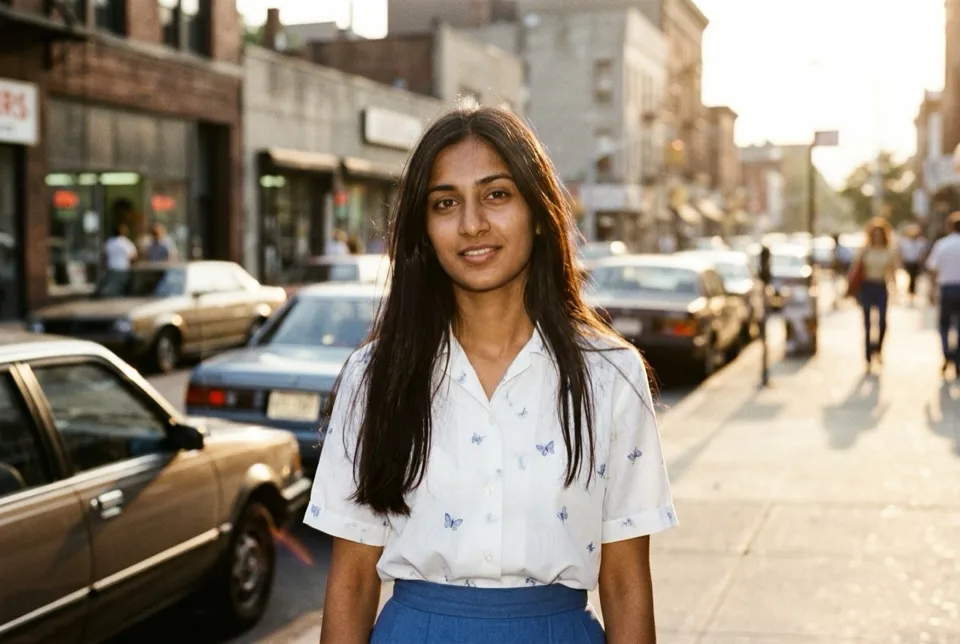
1980s butterfly shirt analog film AI photo prompt example
1980s Retro & Butterfly4:5
1980s butterfly-shirt film look Midjourney

Scene reference from the AiCanvasly design prototype.

MidjourneyFluxGPT Image

Analog flash, butterfly print, and film grain for a nostalgic but believable frame.

Read structured prompt

Restyle the uploaded portrait as a believable 1980s analog film photograph. Preserve the exact identity, face, and expression. Dress the subject in a playful butterfly-print shirt with period-appropriate colors, use direct on-camera flash, warm tungsten highlights, a simple bedroom or studio background, slight lens softness, visible but controlled 35mm film grain, and natural skin texture. Keep the styling editorial rather than costume-like. No modern logos, no plastic skin, no face change, no extra fingers, no text, no watermark.

[shirt print][flash style][grain level]
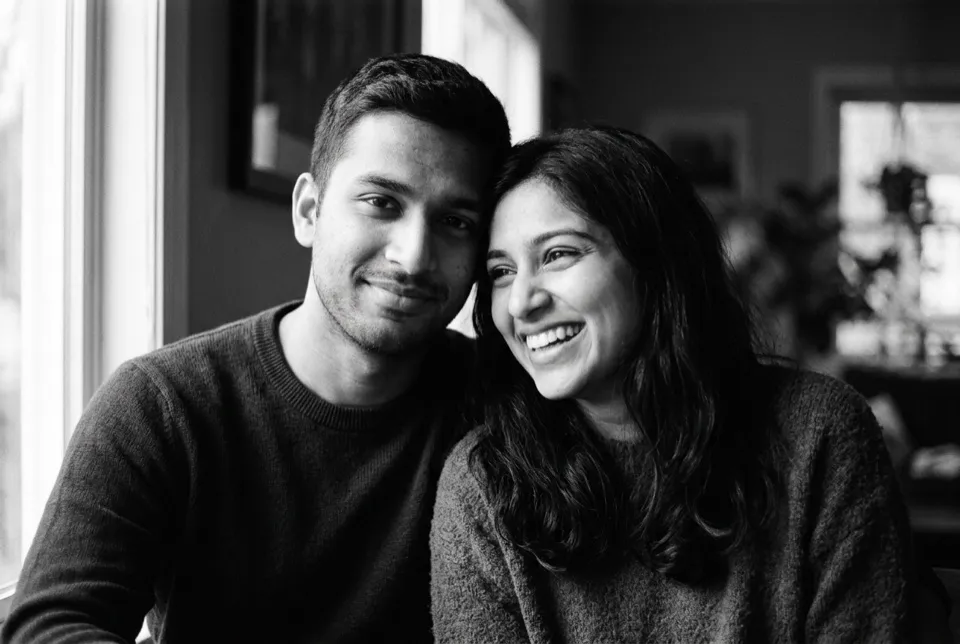
Black-and-white portrait of a smiling couple for a lockscreen mood reference
11:11 Lockscreen & Collage9:16
11:11 five-frame collage Gemini

Couple portrait reference for the five-frame wallpaper template.

GeminiGPT Image

A phone wallpaper layout that keeps the couple consistent across five connected frames.

Five-frame lockscreen tutorial
Read structured prompt

Create a clean 9:16 phone lockscreen collage with five connected candid frames of the same couple. Use the uploaded reference portraits to preserve both identities, facial features, skin tones, and relationship cues in every frame. Include an understated 11:11 time detail, varied close and medium compositions, consistent clothing, soft natural light, and a calm editorial color palette. Keep each frame readable, keep faces natural, and leave safe space around the lockscreen clock. No duplicated faces, no mismatched people, no unreadable text, no extra phones, no watermark.

[frame count][clock safe area][wallpaper crop]

Prompt Ayesha editing guide

How to use a Prompt Ayesha copy-paste template

Choose a template with the scene and output you need. Copy the prompt into Gemini or into another image editor that supports the reference photos you plan to use. Attach a clear photo you have permission to edit and replace any clothing, color, or setting details that do not fit. For a couple photo edit, add the two authorized portraits if the editor accepts both and identify the people by position. Ask for the first draft at the ratio written on the card.

When you want to keep the same face, use a short preservation instruction at the start. Ask the editor to preserve the person’s facial proportions, skin tone, and expression from the reference. Then state the edits to the outfit, light, or background. Inspect the resulting face at a similar crop before you check the overall style. If the features drift, keep the original head angle and use a second pass for the setting.

Wine purple saree and bridal nail art car selfie prompts

For a wine purple saree photo prompt, describe the blouse, the point where the pallu crosses the shoulder, and how the pleats fall at the waist. A side window and soft shadows let you see the weave and border. If you want the fabric to read as silk, ask for a slight sheen on the folds. Check that the fabric hangs from a plausible point and that the hands sit in front of the correct layer. A 4:5 crop gives room for the shoulder drape and enough of the waist to show the pleats.

A bridal nail art car selfie prompt places the bride in a parked car, with a hand beside her cheek and soft light entering from one window. Describe the nail shape, polish, and jewelry separately. If the hand dominates the shot, move it closer to the face and use a slightly wider crop. Check the finger count, ring positions, and whether the car window and seat remain visible. The bridal image on the card is a styling reference for the saree and jewelry.

Rooftop blue-hour portrait and mustard-field alternatives

A rooftop blue-hour portrait prompt combines a cool evening sky with a nearby light source on the subject. Write a short description of the skyline, specify where the subject stands, and give the flash a clear direction. A medium portrait gives you space for flowers or hands without losing the face. If the first result looks like daylight, state that the sun has set, keep the sky blue, and show a few lit windows in the distance.

For an outdoor mustard-field portrait, switch the setting to rows of yellow flowers and describe a low sun, a breeze, and a path that gives the subject a place to stand. Ask the editor to keep the original hairline and match the shadows on the face and clothing to the sunlight. Check that stems have a plausible scale and that the vegetation does not obscure the face.

Couple mirror selfie AI prompt with one phone

Describe both people by where they stand and the reference photo used for each one. For example, place the first person on the left, the second on the right, and give the phone to the person on the right. Specify a single mirror and a single reflected scene. If the hand holding the phone covers a face, lower the phone to chest height and ask to keep both faces visible. Check which hands appear in the frame and how they connect to each person.

Make one correction at a time if the result swaps faces, adds a device, or repeats a hand. For a swapped identity, keep the room and camera fixed and label each reference by position. For extra devices, restate which hand holds the phone and give the other hand a clear pose. If the reflection feels impossible, simplify the mirror and remove secondary reflective surfaces from the brief.

1980s butterfly shirt and 11:11 lockscreen styles

To adapt a 1980s retro Ayesha prompt, specify a butterfly print on the shirt, a direct compact-camera flash, fine film grain in the midtones, and a street backdrop. Keep the print visible and let it follow the folds of the shirt. Add realistic skin texture so the film effect leaves facial details readable. If the image looks like a heavy filter, reduce grain and halation in the next pass and keep the flash direction.

For an 11:11 couple iPhone lockscreen wallpaper prompt, set 9:16 and define five frames before choosing poses. Use consistent clothing and light across all frames. A practical order is a medium portrait, a close-up of hands, a wider scene, a candid side angle, and a final close-up. For an aesthetic girl photo collage, use the same approach with one reference portrait. Leave a clear area for the device clock and add readable text in the final layout if the image model renders it poorly.

Check a Prompt Ayesha edit in Gemini or your preferred model

For Gemini or ChatGPT with GPT Image, start with the reference and describe the edit in plain sentences. For Midjourney and Flux, use the template as a scene brief and confirm which reference and aspect-ratio controls your workflow supports. Reapply the same identity and framing constraints if you change models. Preview the resulting file at its final size and inspect the face, hands, clothing, background, and crop before sharing it.

How to use

A repeatable three-step photo workflow

01

Upload a clear reference

Use a well-lit face. Couples should provide two separate reference images when the model supports it.

02

Paste and tune the scene

Change outfit color, setting, light, and aspect ratio. Keep identity constraints near the start.

03

Generate and inspect

Check face consistency, hands, reflections, fabric folds, and text before you export or share.

Model notes

Keep the structure. Adjust the syntax.

The same visual brief can work across models, but the control surface changes. Use a natural-language scene for Gemini and GPT Image, a concise subject-and-style sequence for Midjourney, and explicit negative constraints for any workflow that struggles with hands, phones, or reflections.

ModelBest useRecommended ratioPrompt emphasis
GeminiReference-led edits4:5 / 9:16Identity and object constraints
GPT ImageNatural scene direction4:5 / 16:9Composition and readable details
Flux / MidjourneyStyle and camera language4:5 / 9:16Lens, light, grain, and concise constraints

FAQ

Prompt Ayesha questions, answered directly

What is Prompt Ayesha?+

Prompt Ayesha refers to a viral style of identity-preserving AI photo editing prompts. Common examples include editorial saree portraits, blue-hour rooftop flash shots, 1980s analog film looks, and couple mirror selfies.

Can I use Prompt Ayesha in Google Gemini?+

Yes. Upload a clear reference photo, paste a prompt, and state that the person’s identity, face shape, skin tone, and expression must remain consistent. Add a negative constraint when the scene includes a mirror, phone, hands, or clothing detail.

How do I keep the same face in an Ayesha prompt?+

Use an identity-preserving instruction near the start of the prompt. Name the face shape, eyes, skin tone, and expression as fixed attributes, then describe the styling and camera separately. Avoid stacking several identity changes in one request.

What should I change if an AI photo edit changes the person’s face?+

Start with one change, such as lighting or background, and reuse the same clear reference photo. Tell the editor to keep the face shape, eyes, skin tone, and expression. Compare the new image with your reference before adding another change. Results vary by model and reference photo.

Guide to keeping the same face
Which image model works with these prompts?+

The templates are written for Gemini, GPT Image, Flux, and Midjourney-style workflows. The visual result varies by model, so keep the identity constraints and negative constraints while adjusting camera and aspect-ratio syntax for the model you use.

What is the best aspect ratio for an Ayesha photo prompt?+

Use 4:5 for portrait posts, 9:16 for stories and phone wallpapers, and 16:9 for landscape scenes. Put the requested ratio in the prompt and check the model’s own output settings when both are available.

Continue the visual workflow

Read the prompt guide or reverse-engineer a reference image into editable prompt text.